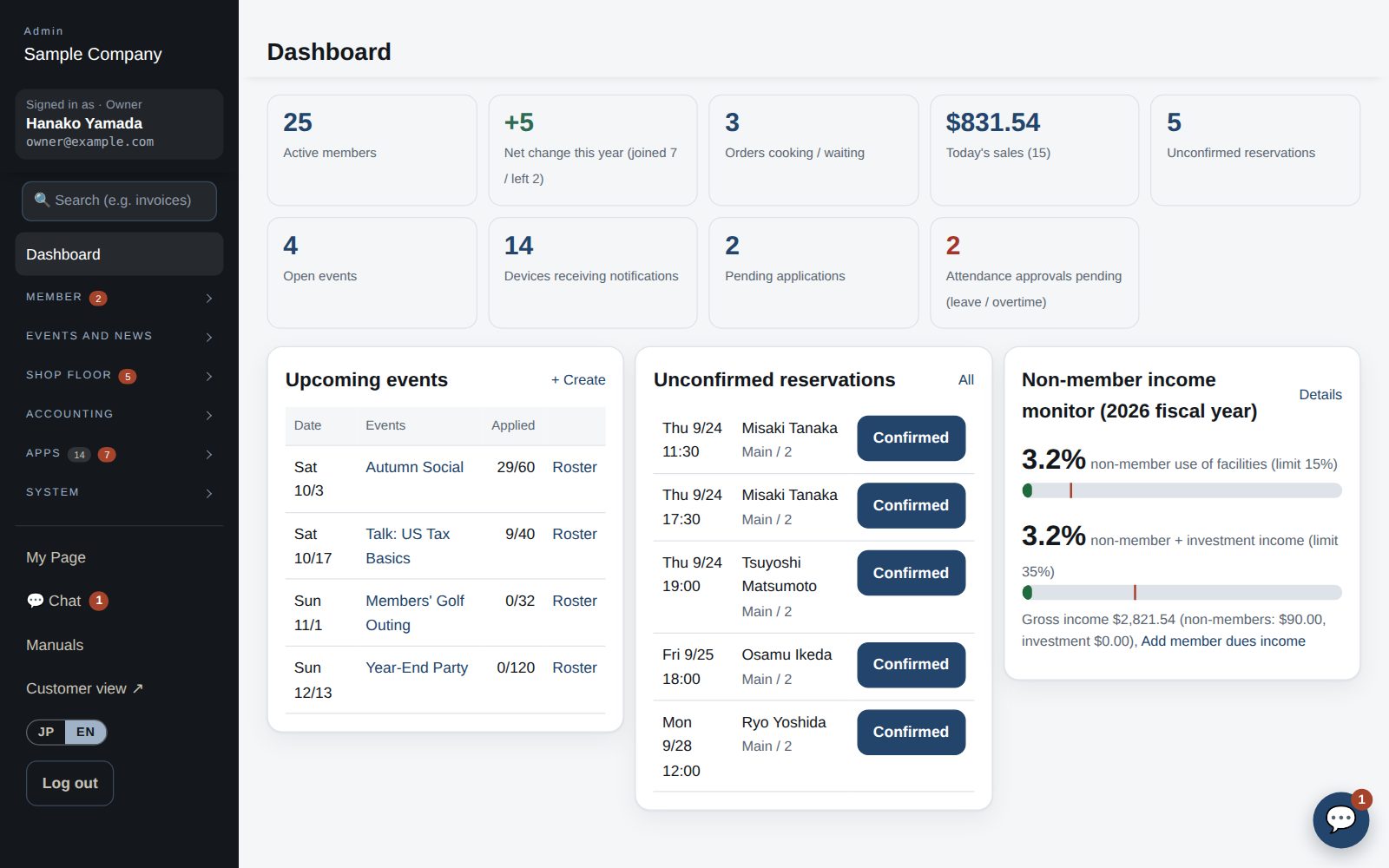
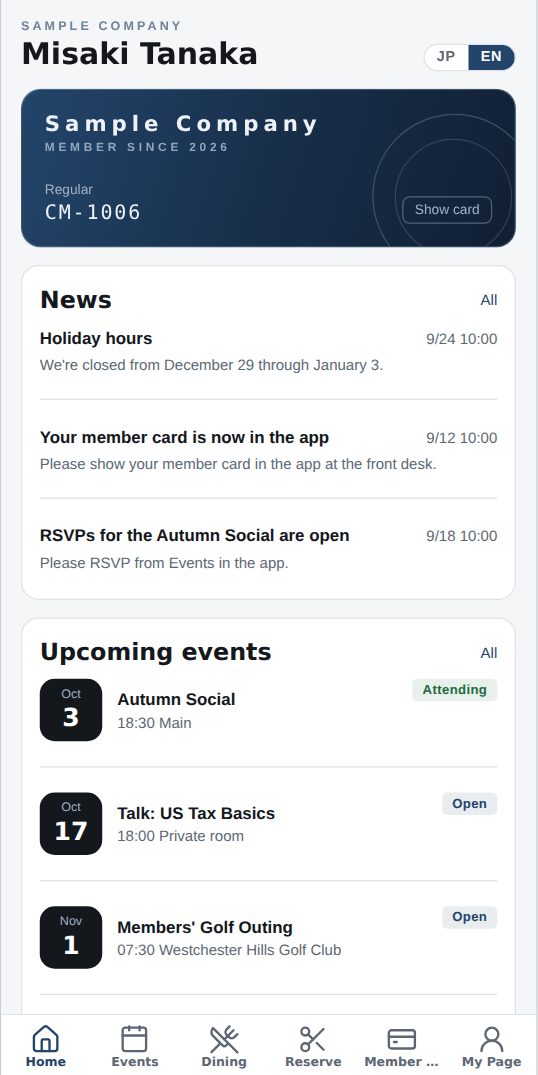
From member rosters, reservations and orders to attendance, invoices, task management and accounting links. Turn on only what you need. For staff and members alike, on desktop or phone, in Japanese or English.
Tax season at your firm,
with nothing slipping through.
Every individual return (1040, state, extension) runs its own loop: collect documents → prepare → review → fix → file. Track them in spreadsheets and email and it soon becomes unclear who is doing what, and what is still missing.
Sound familiar?
No quick way to see who is working on which client's return
Unclear whether documents are complete, or where the latest draft is
Reviews pile up; send-back notes are scattered across email and chat
Untouched returns surface right before the October 15 extension deadline
How Tasks keeps it moving
Assign
Create a task per client with assignee, due date, documents needed and reference files. Assign the same work to several people at once.
Work
Assignees see a red count of open tasks in their menu. Drafts and receipts are uploaded straight to the task.
Review
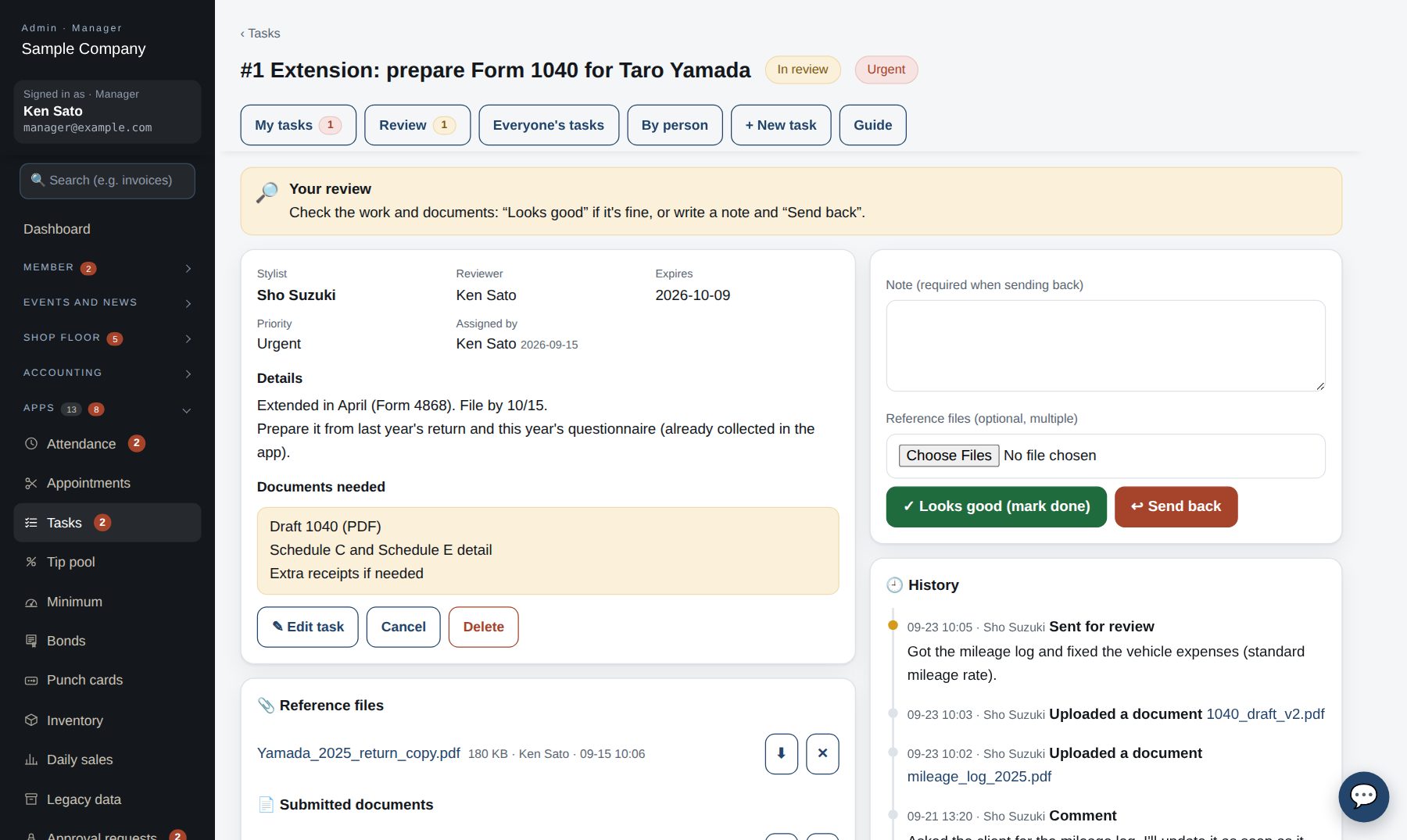
When done, send it for review. The reviewer's menu shows the count too.
Done / send back
Approve to close it, or send it back with a note. Every step stays in the task's history.
↺ Sent back? Fix it and send it for review again
📋
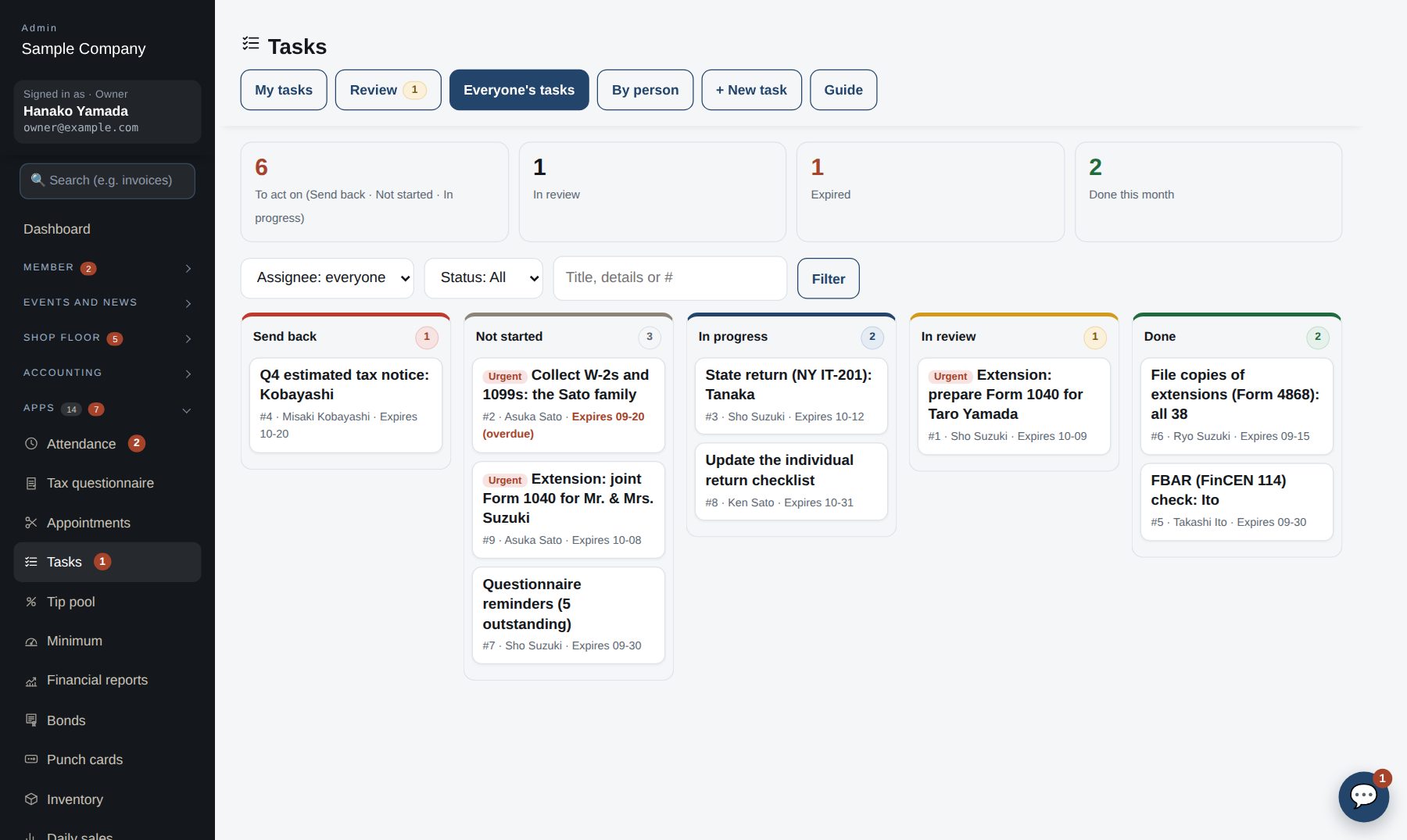
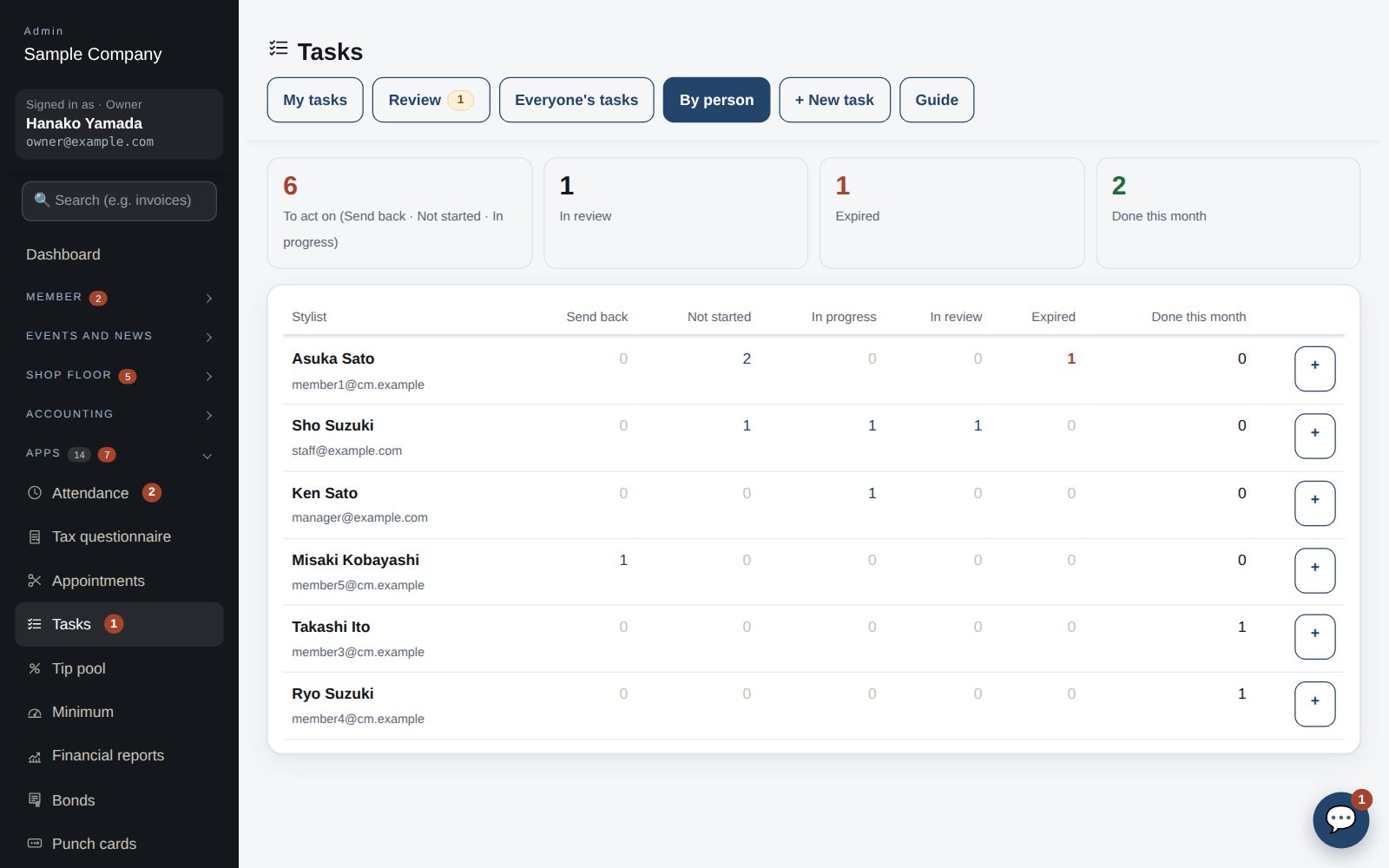
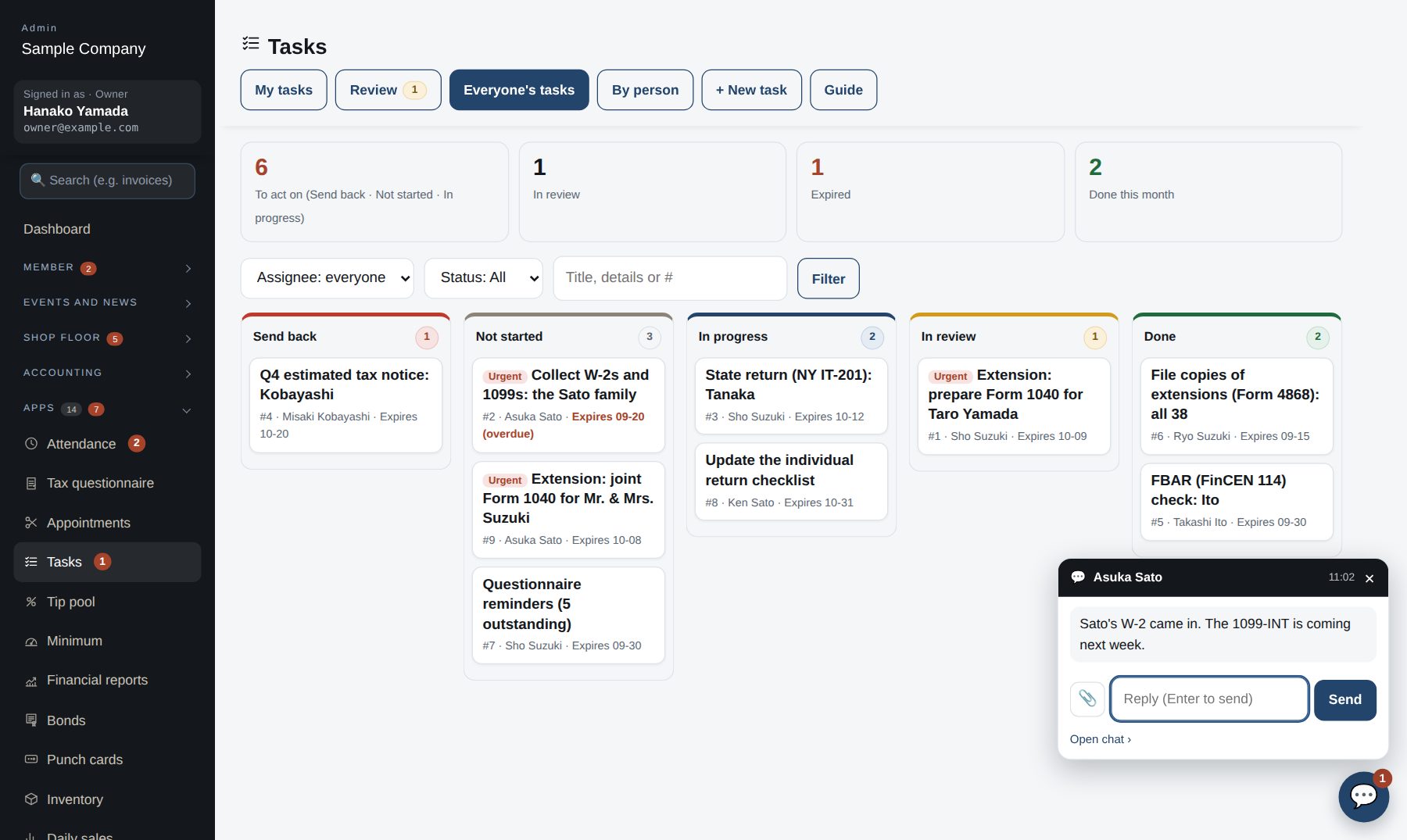
Board by status, table by person
See everything in columns — to do, in progress, sent back, in review, done — with overdue items in red. Jump from per-person counts to that person's list.
📨
Collect questionnaires and documents in the app
With the tax questionnaire app, clients answer questions and upload W-2s and 1099s from their phones. Your firm tracks progress and downloads the answers (CSV) and files.
💬
Team chat, right in the app
“The W-2 arrived”, “What about this expense?” — message teammates in the app and attach the document. A pop-up appears on any screen and you can reply on the spot.
🔍
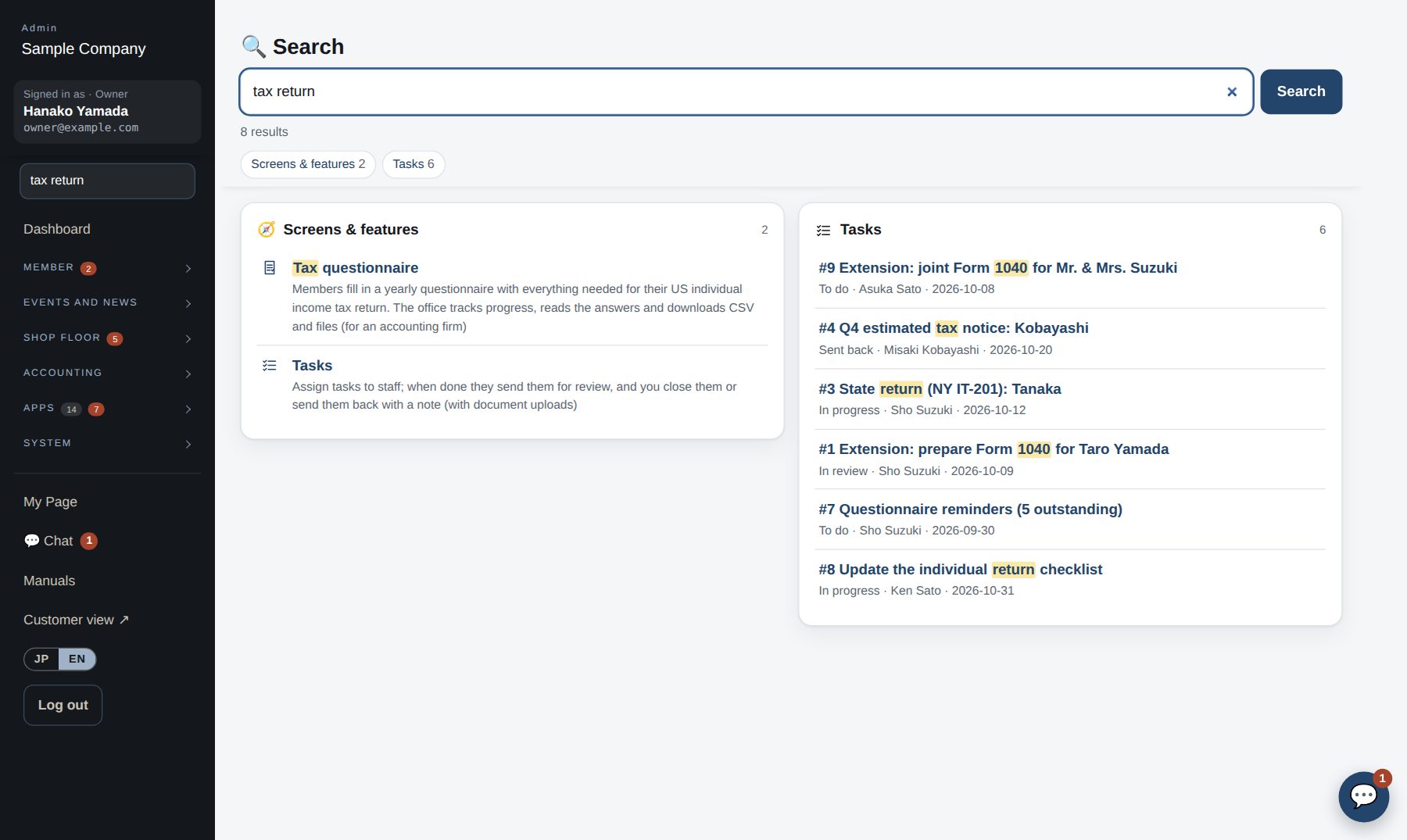
Search everything at once
Type “tax return” and see the related tasks, questionnaires and how-tos in one place.
Everyone's tasks: a column per status, overdue in redReview screen: notes and documents stay in the history
Tax questionnaire
Still sending tax questionnaires
as paper or Word files?
Send the form, wait for it to come back, read the handwriting, retype it into your tax software — every year. With the tax questionnaire app the whole thing happens on the web.
Before
Mail or email a paper / Word questionnaire and wait
Illegible answers and back-and-forth over missing items
No idea who has replied or how far they got
W-2s and 1099s arrive by email, post and photos, all over the place
Retyping every answer into the tax software
→
With the app
Clients answer on phone or computer (Japanese or English)
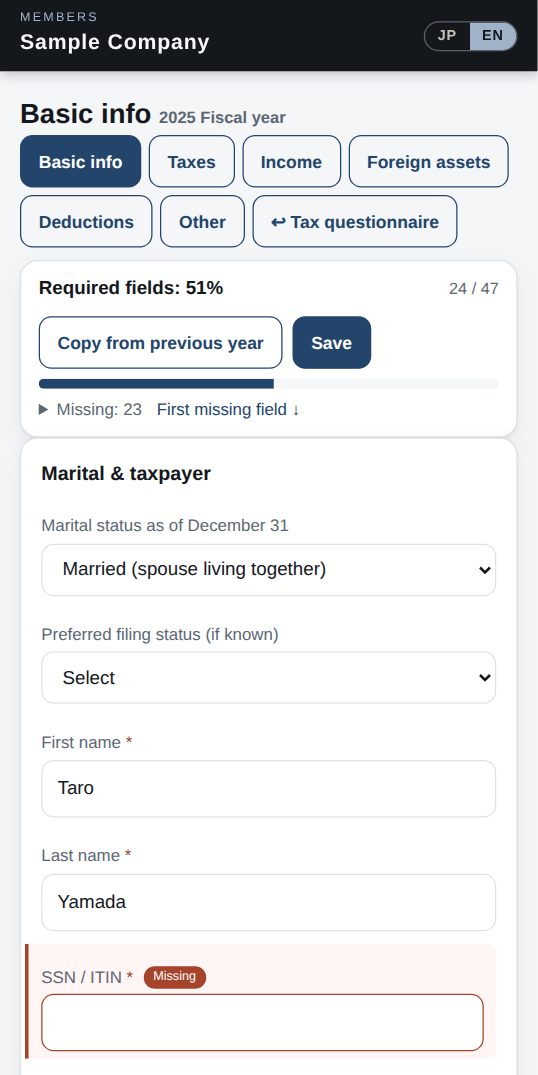
Progress on required items, with missing answers highlighted
Copy last year's answers and change only what's new
Upload documents on the spot, then e-sign and submit
Your firm reviews every answer item by item, with CSV and files in one download
📊
Everyone's progress at a glance
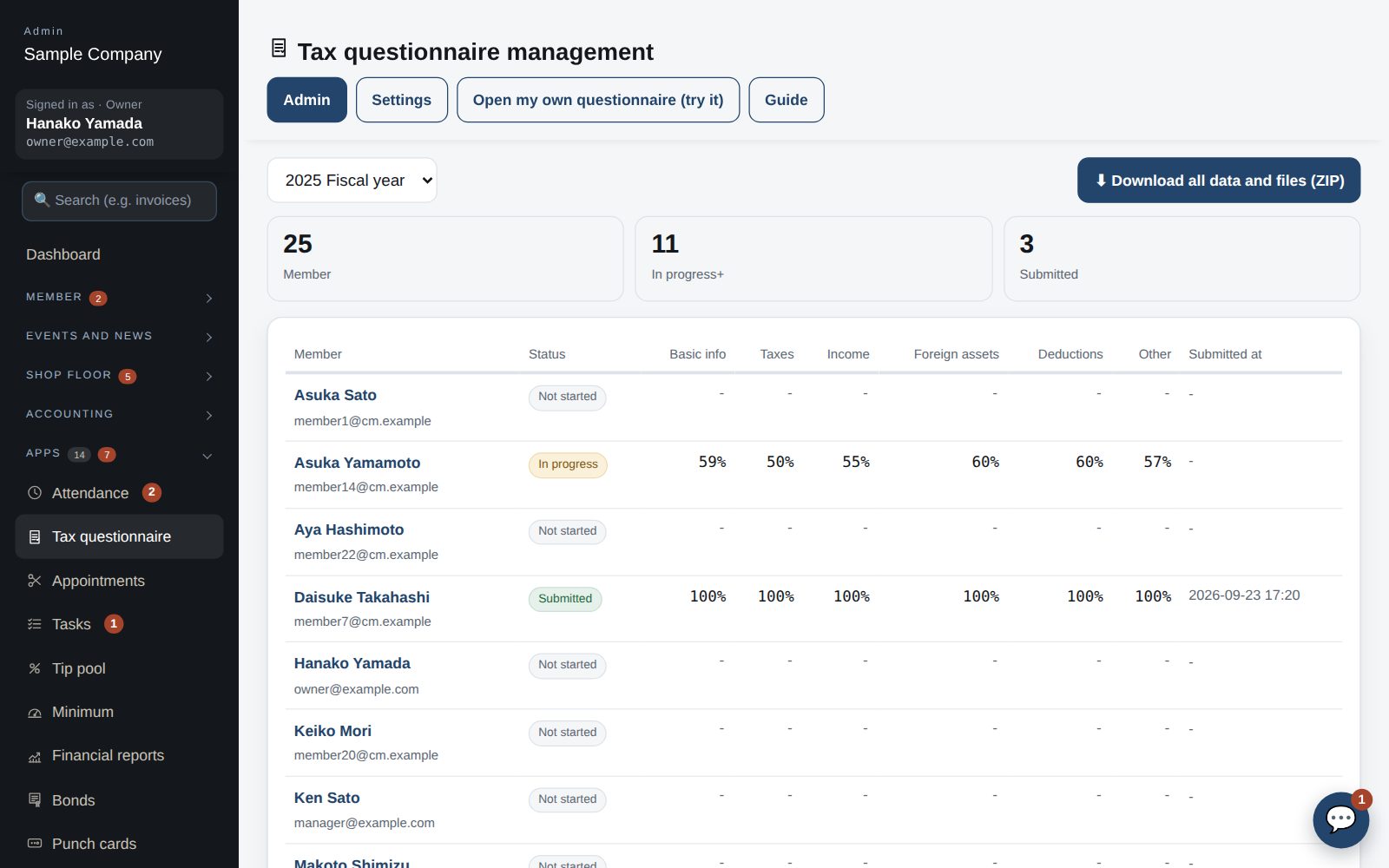
See each client's completion by section, signature and submission date — and spot who hasn't started.
🔎
Every answer, in one list
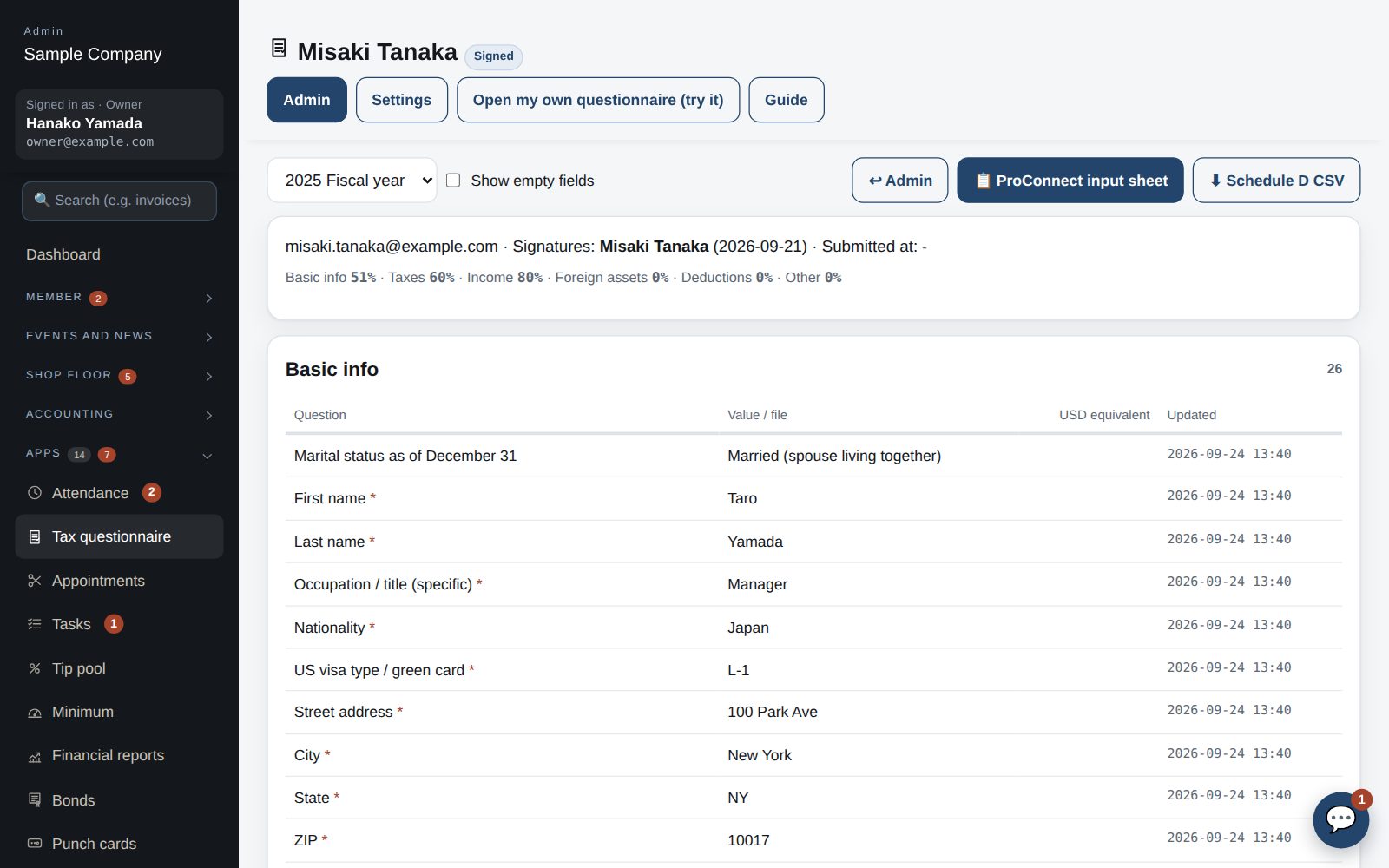
Per client, see each item's answer, uploaded files, USD conversion and last update in a table — or show only what's missing.
📥
Faster data entry
Download an input sheet for ProConnect, a Schedule D CSV, or a ZIP of all data and files.
🔗
Pair it with Tasks
When a questionnaire comes in, assign “Prepare 1040” as a task and review it in the same app.
Answer details: each item's answer, files and USD conversion
Client's phone: missing answers in red
Everyone's progress: by section, signature, submitted date
Use cases
Built for your kind of work
🏛️Member clubs & associations
Roster, member cards (QR), join applications
Event RSVPs, tickets and sponsors
News and push notifications
Corporate minimums and membership bonds
Non-member income monitor (501(c)(7))
🍽️Restaurants
Reservations (venues, slots, reminders)
Table ordering and a kitchen board
Daily close, sales reports, tip pooling
Inventory and stock counts
✂️Salons & schools
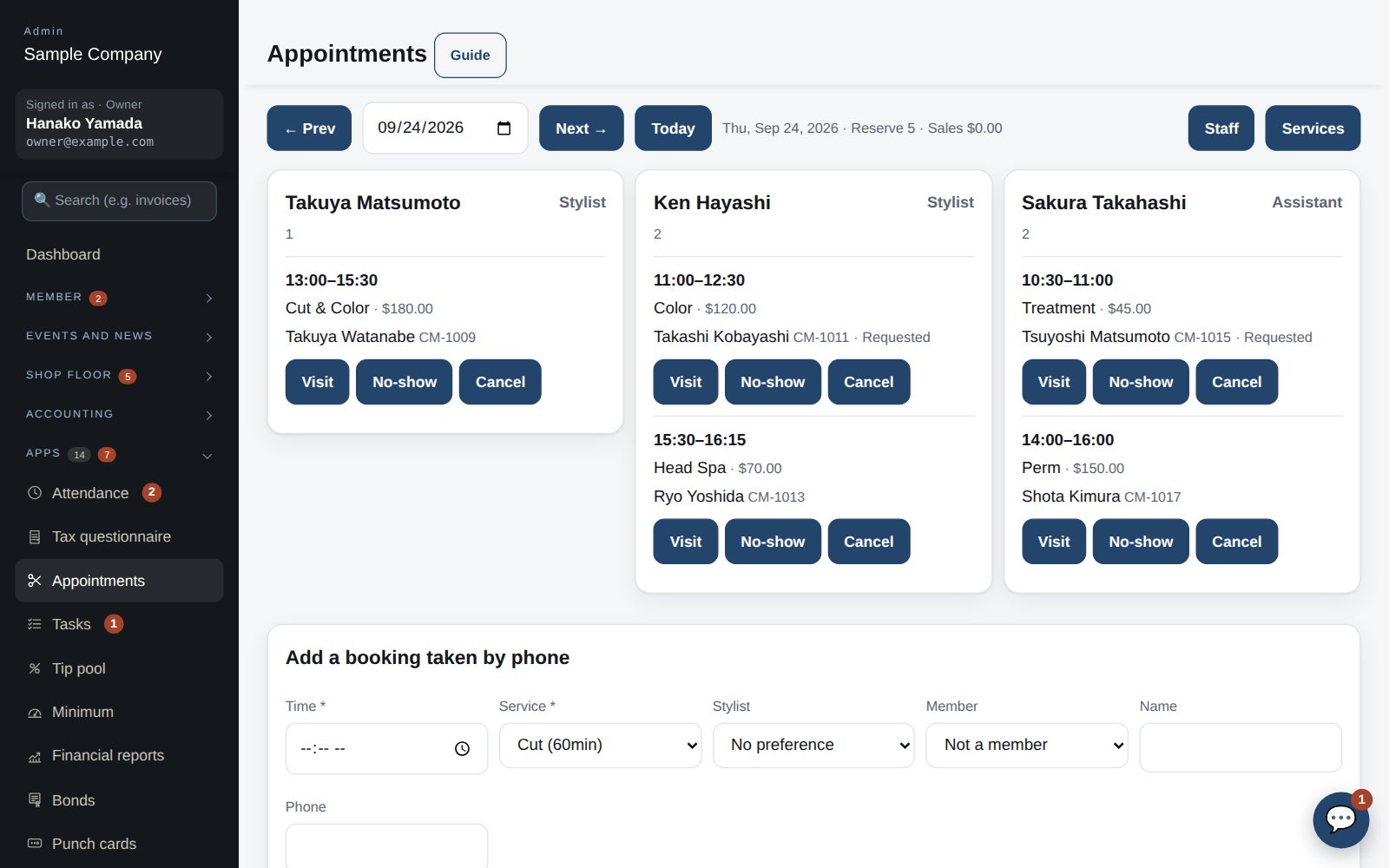
Salon booking (staff and menus)
Punch cards
News and push notifications
Attendance and shifts
🧾Accounting firms & offices
Tasks (assign → review → done / send back)
Tax questionnaires (individual returns)
Invoice approvals and payments, approval requests
Attendance, leave and finance reports
Live orders
From the table to the kitchen
and back, in real time
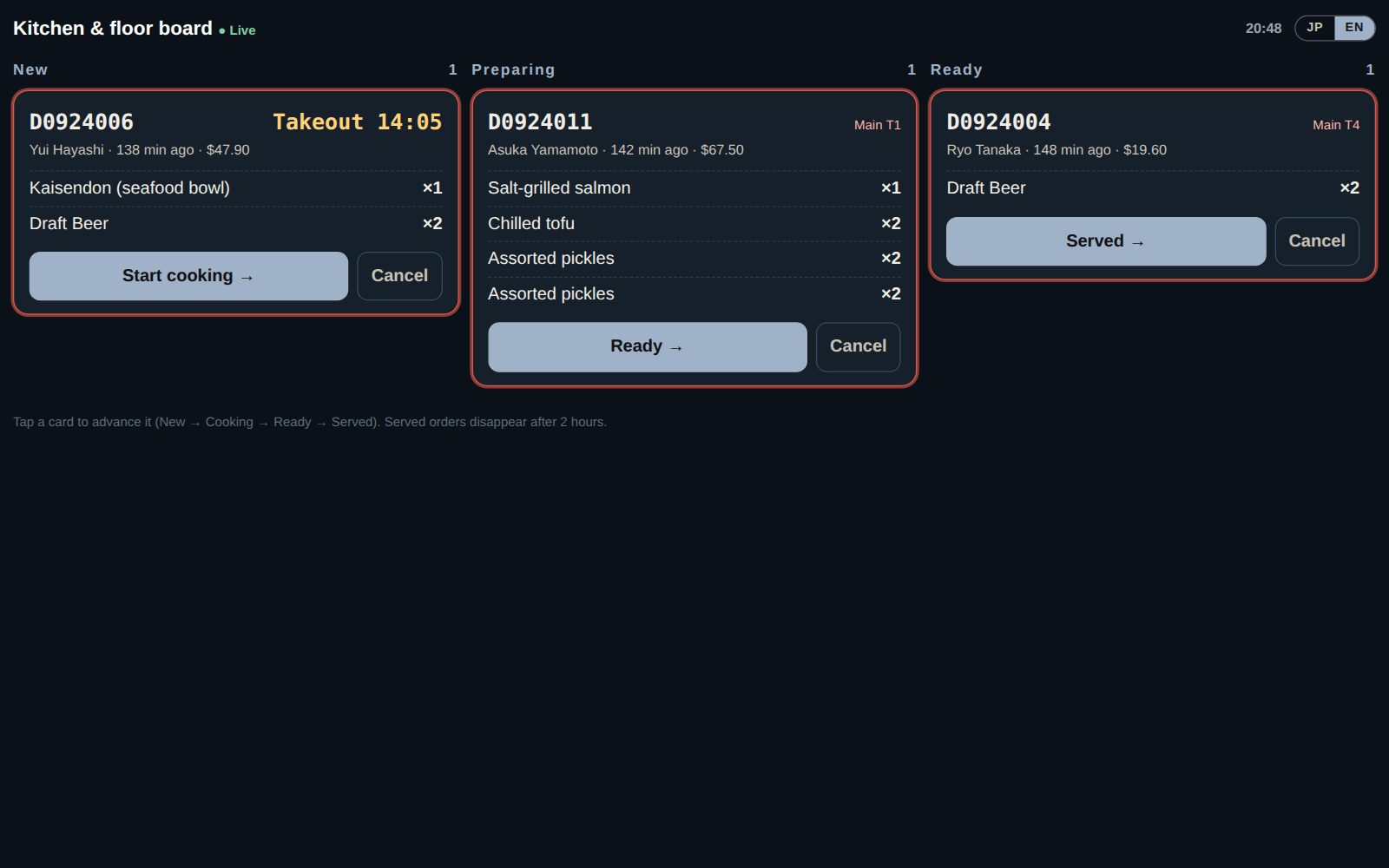
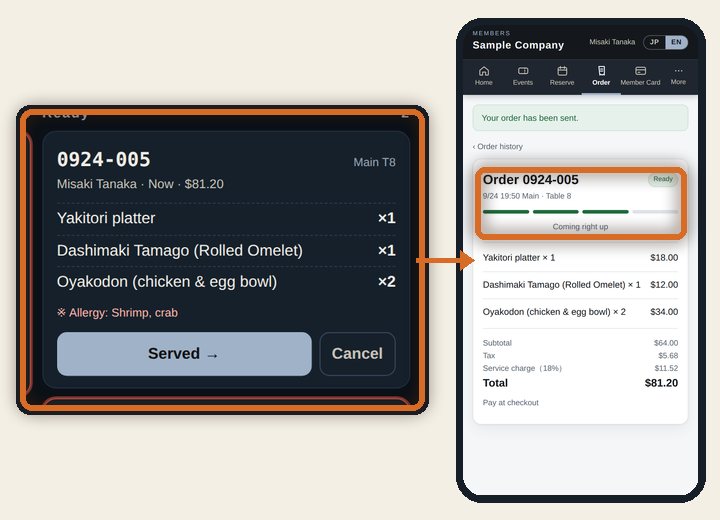
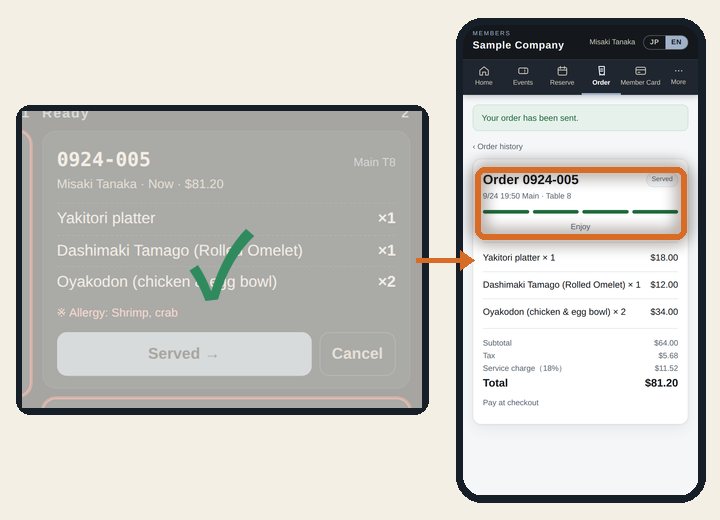
When guests order from the menu on their phones, the order lands on the kitchen board instantly. Each time the kitchen moves it along — start cooking, ready, served — the guest's screen updates within seconds.
Phone order → kitchen board → guest's screen → daily close (eight scenes on a loop)
Step by step
1Guest
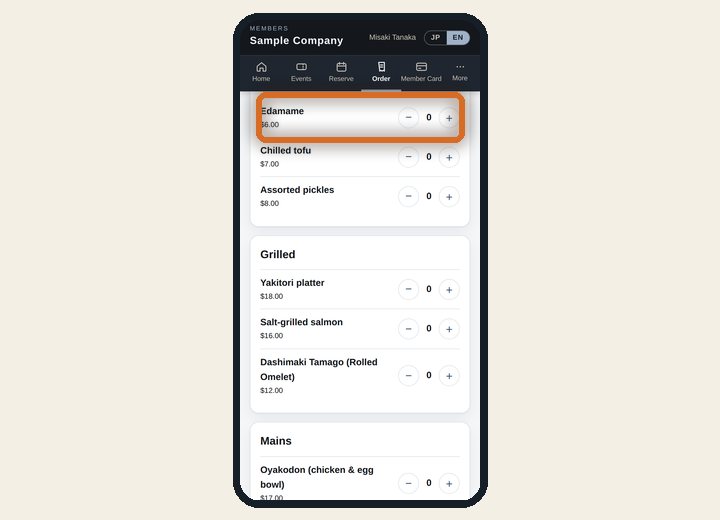
Open the menu
Right from the table, guests open “Order” in the member app or the web menu.
2Guest
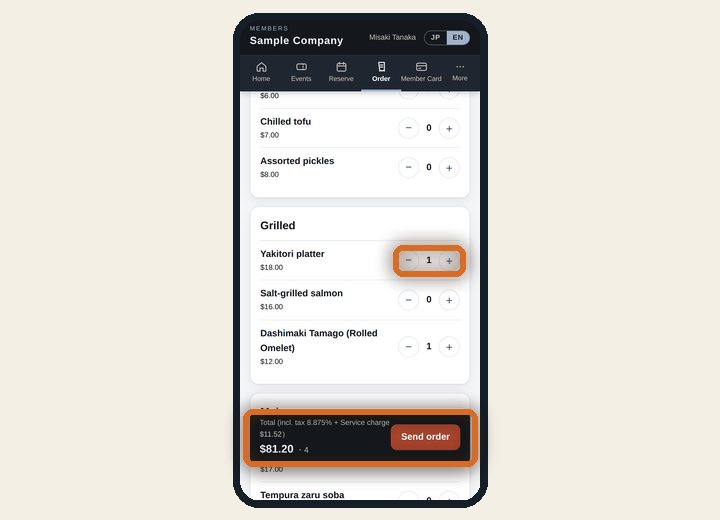
Pick dishes
Tap + to add. The total, with tax and service, appears below. Allergy notes too.
3Guest
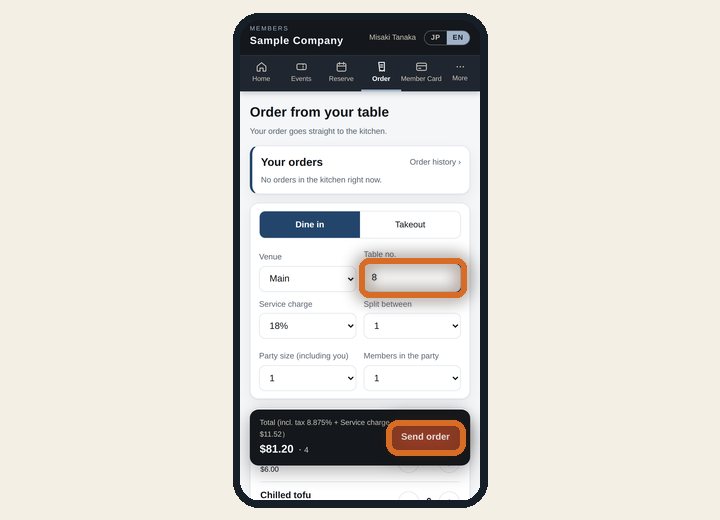
Add the table and send
Tap “Send order”. For takeout, pick a pickup time. No order-taking or re-keying by staff.
4Automatic
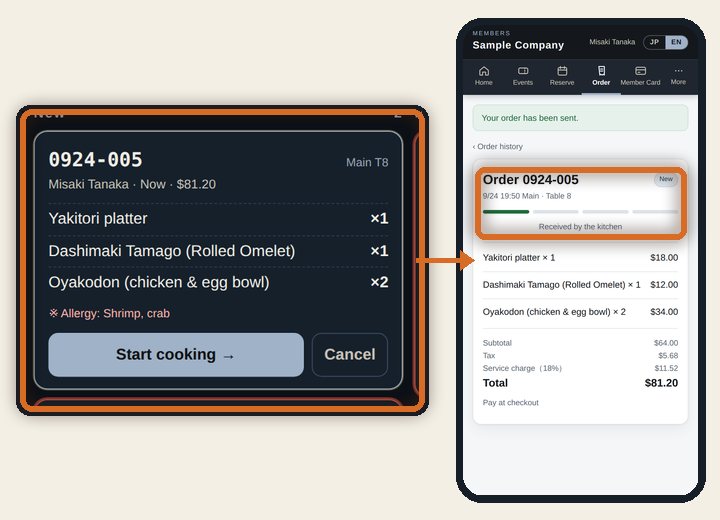
It reaches the kitchen
It chimes into the “New” column, and the guest's screen says it was received.
5Kitchen
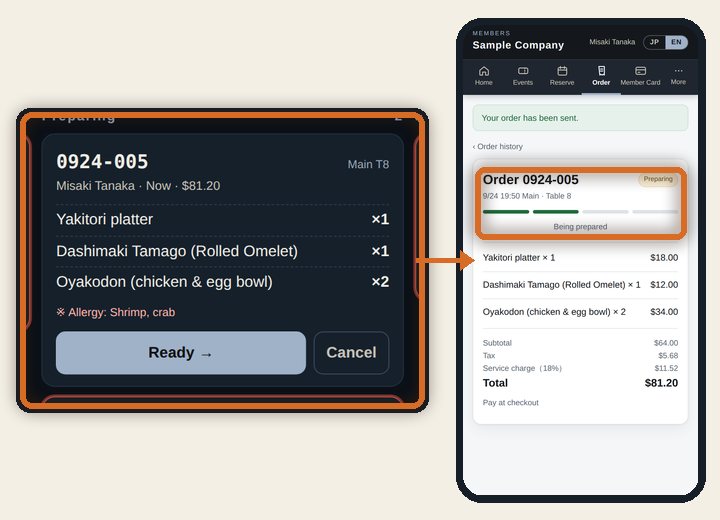
Tap “Start cooking”
The card moves to “Preparing”, and within seconds the guest's screen shows it's being prepared.
6Kitchen
Mark it “Ready”
The guest sees it's coming right up, and the floor team sees what's ready to serve.
7Kitchen
Mark it “Served”
The guest sees “Enjoy”, and the card leaves the board so the kitchen can focus on what's next.
8Office
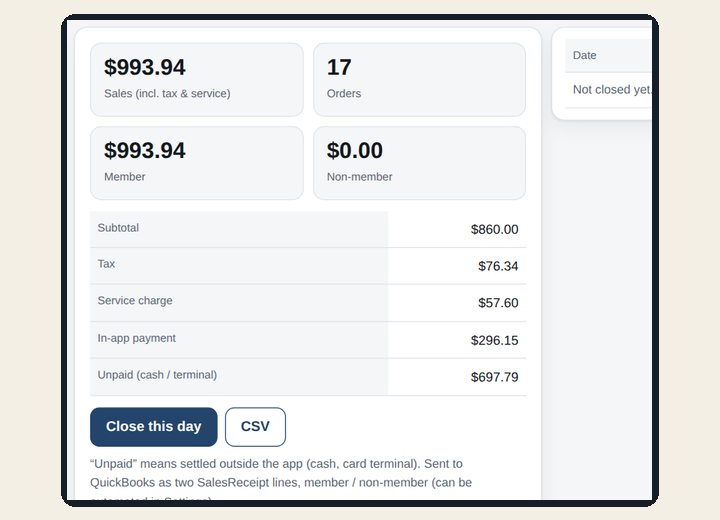
Into the daily close
Totals are split by members, non-members, app payments and unpaid, and can go to QuickBooks at close.
📱
Orders from guests' phones
In the member app or on the web, with table number, pickup time and allergy notes. Staff can enter walk-in orders too.
🔔
A live kitchen board
New orders chime in. Cards change color at 10 and 20 minutes so waiting orders stand out.
✅
One tap updates the guest
The guest's screen changes on its own: cooking, on its way, enjoy your meal.
📊
Straight into the daily close
Served orders become sales, and the daily close can send them to QuickBooks.
We'll build an app for the way
your business works — free
Is part of your work still running on paper, Excel, Word or an old Access database? Show us how you do it today. We'll build an app around those exact steps and add it to your company's Apps — at no extra cost.
1Show us how you work
Send the Excel files, paper forms or Access database you use today. We'll ask who does what, and when.
2See it working
Try it on real, working screens and tell us what to change.
3Added to your company
It appears under Apps in the menu. Choose who can use it on the Features screen — and it can reach staff, members and the iPhone app too.
4Keep improving it
Once you're using it, just tell us what you'd like to change.
Apps we've built this way
Membership bonds
Paper certificates and an Excel ledger→Application, payment, e-signature, notice letters and the ledger
Minimums
An Excel sheet per corporate member→Annual minimum spend and progress, updated automatically
Tax questionnaire
Word forms and back-and-forth email→Clients answer online and attach documents; the firm reviews it all in one list
Daily sales & tip pooling
A restaurant's Excel daily report and tip sheet→From daily entry to weekly summaries and the tip split
Legacy records
An Access system used for over 20 years→Members, statements, payments, sales and bookings — all searchable
Tasks
Tax-season progress kept in spreadsheets and email→Assign, collect documents, review and send back in one place
Tell us what you need →Describe how you work today in the notes on the sign-up form. For companies using the service. Depending on the size of the app, we'll agree on a timeline with you.