Search everything

Type “invoice” — get the screens, how-tos and records at once

Open 🔍 at the top of the menu (or press “/” anywhere). It returns screens, guide chapters and records — members, bookings, tasks and more — limited to what that person can open, and understands synonyms like invoice = billing.

Who uses it:OwnersManagersStaff
What it does

Find the screen

Search by what you want to do.

With the how-to

Relevant chapters from the guide for your role.

And the data

Members, applications, events, bookings, menus and add-on app records such as tasks and invoices.

How it flows

  1. 1Staff
    Type a word

    🔍 or the “/” key — in Japanese or English.

  2. 2Automatic
    Everything together

    Screens, how-tos and records you can open.

  3. 3Staff
    Jump straight in

    Click through to the screen or record.

See the screens

Admin (office)

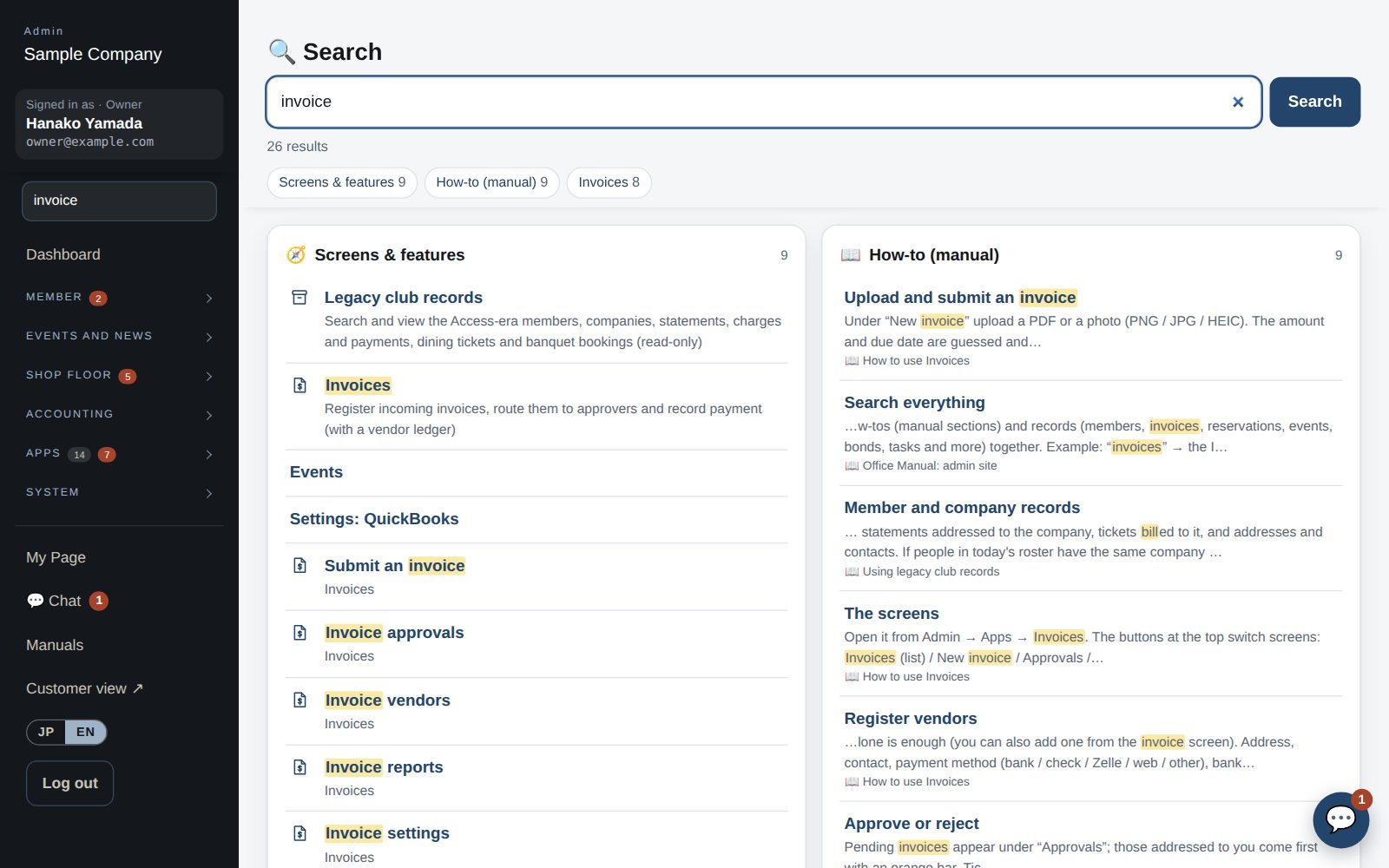
Search: “invoices” brings up screens, how-tos and records together

Search everything

  1. Type a word in the 🔍 box at the top of the left menu (press “/” on any screen to jump there) to see the related screens and features, how-tos (manual sections) and records (members, invoices, reservations, events, bonds, tasks and more) together.
  2. Example: “invoices” → the Invoices app and its submit / approval / vendor screens, how-tos, recent invoices and event sponsors. Japanese words and synonyms work too. Only screens you can open and features in use are shown.
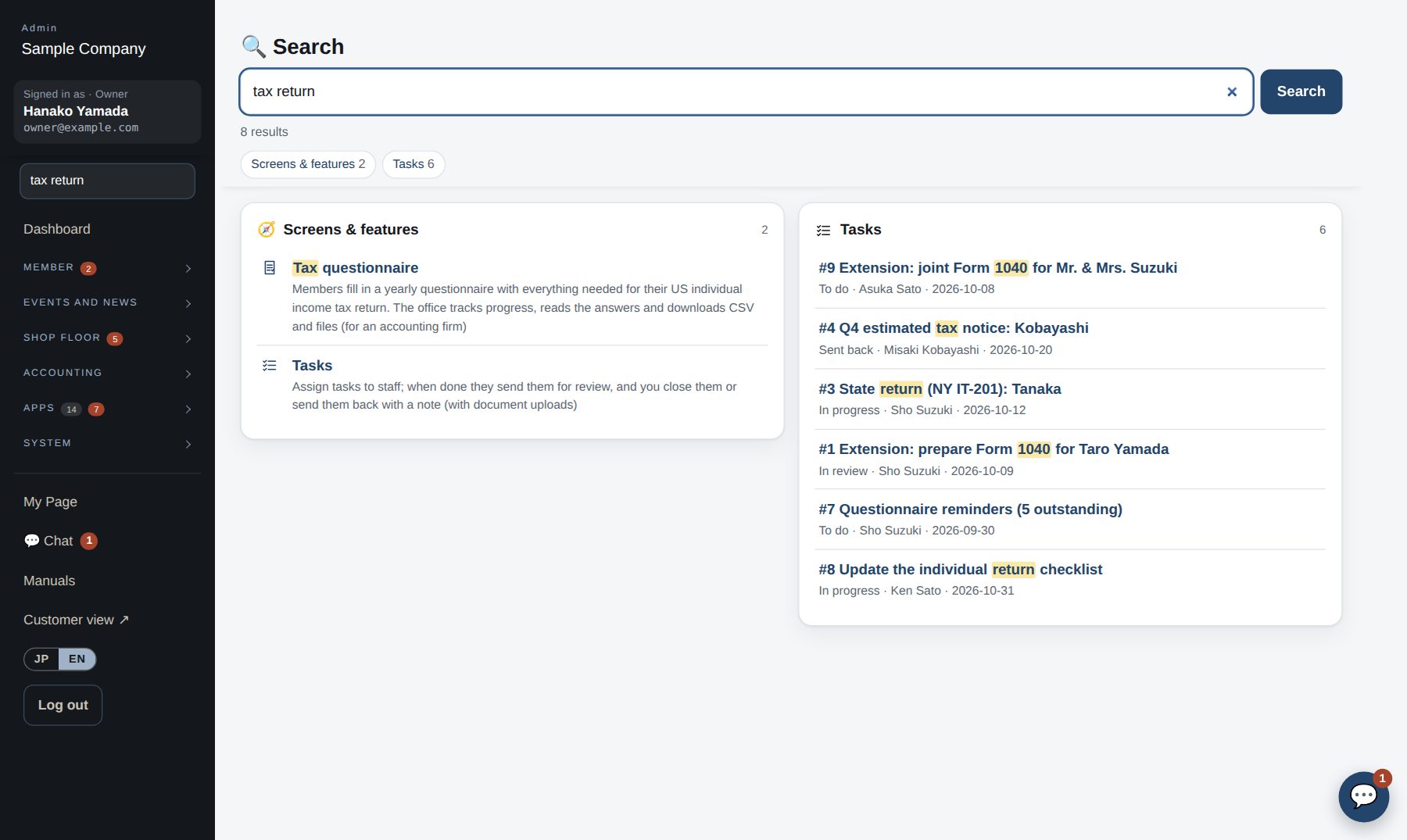
“tax return” brings up the related screens and tasks

Works well with

Start with just the features you need. If nothing fits the way you work, we'll build it for you — free.

Get started →🎁 Get a custom app, free