Daily sales reports

Sales, budget, food and labor cost — by venue, every day

Enter daily sales, tips and covers per venue — or pull them from Toast POS — to see budget attainment, food cost from purchases and labor cost from payroll. Your current Excel imports as is.

Who uses it:Managers
What it does

Daily report

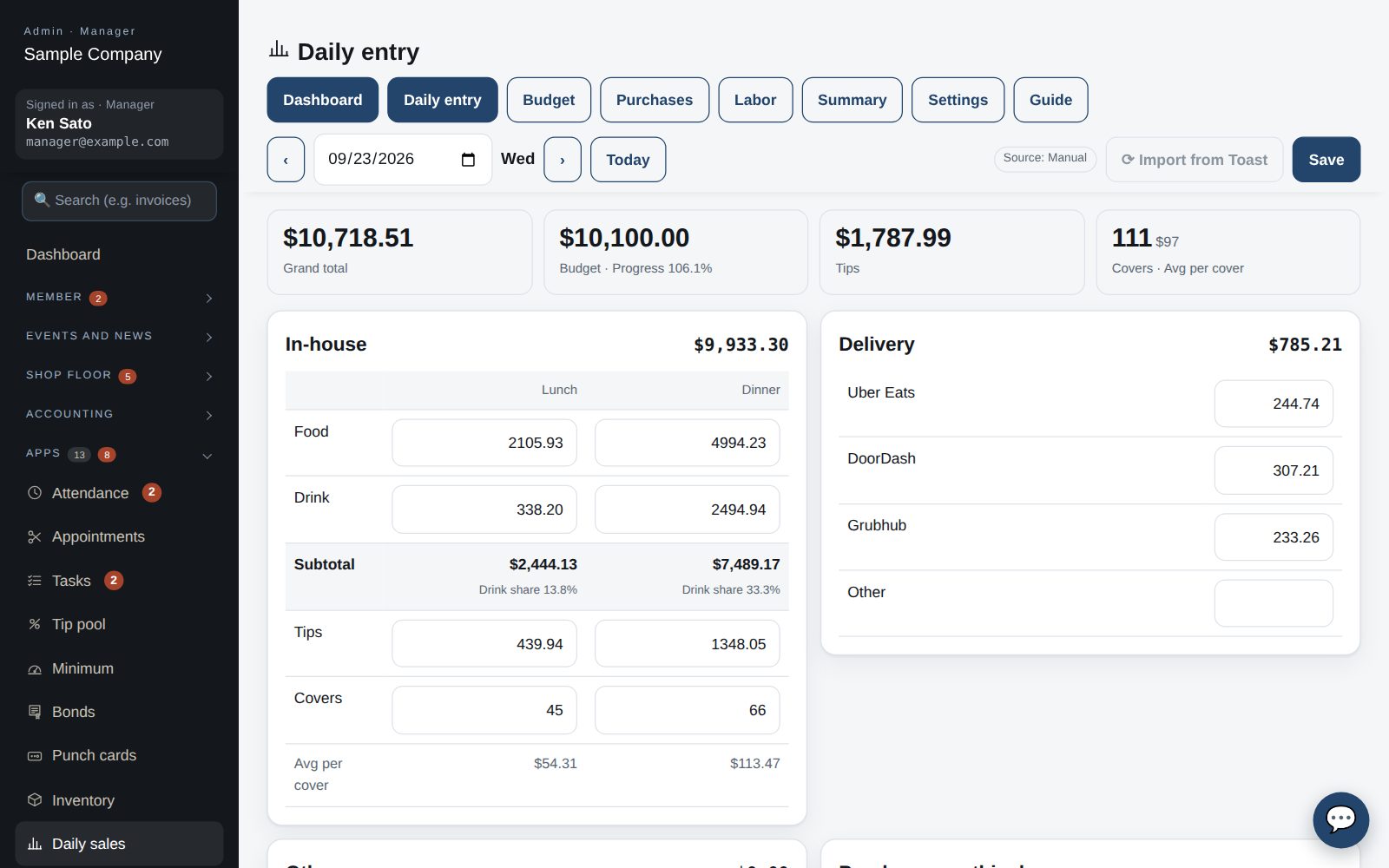
Food, drink, tips and covers; averages and drink ratio calculated.

Budgets

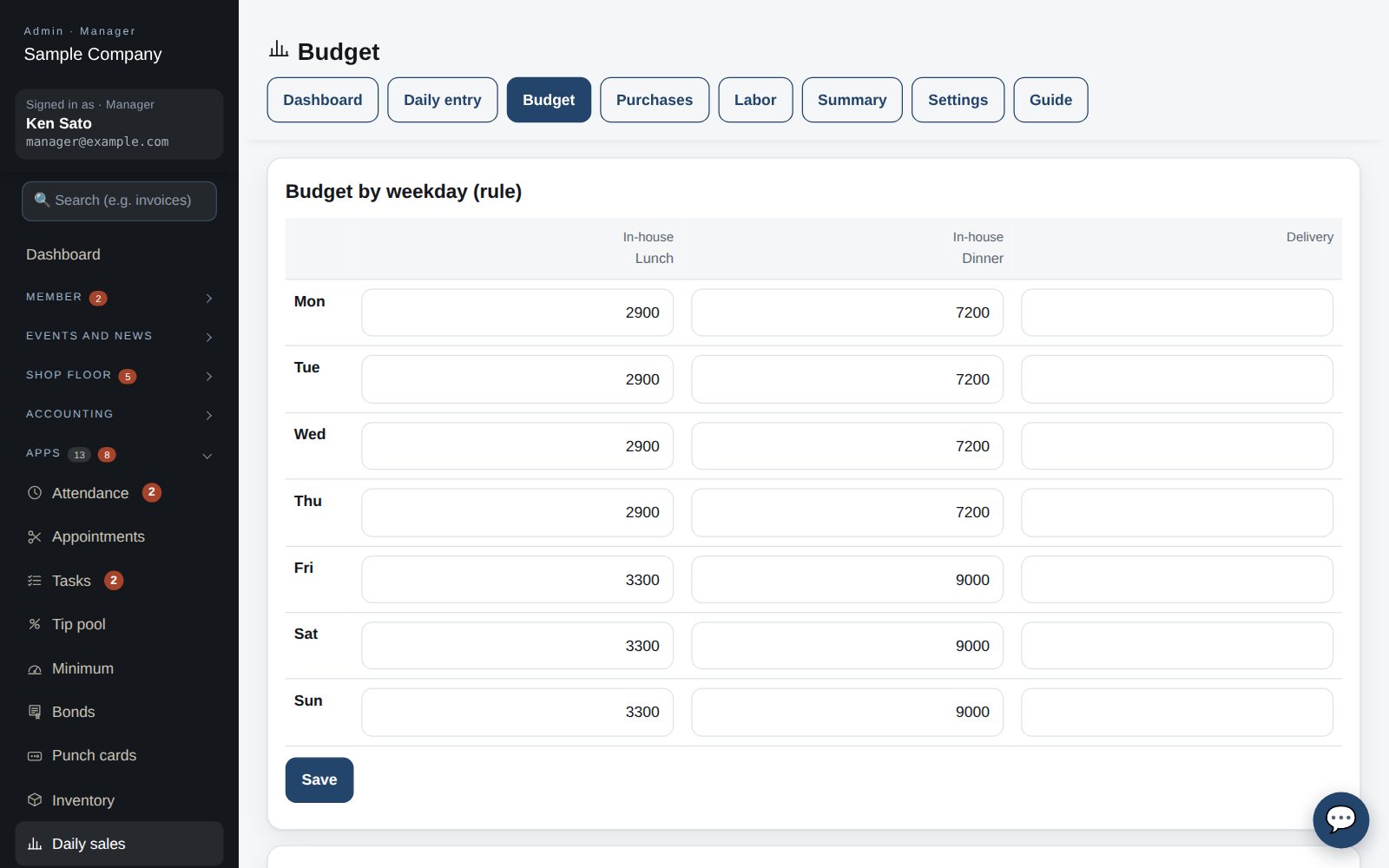
Weekday rules roll forward monthly; override special days.

Costs

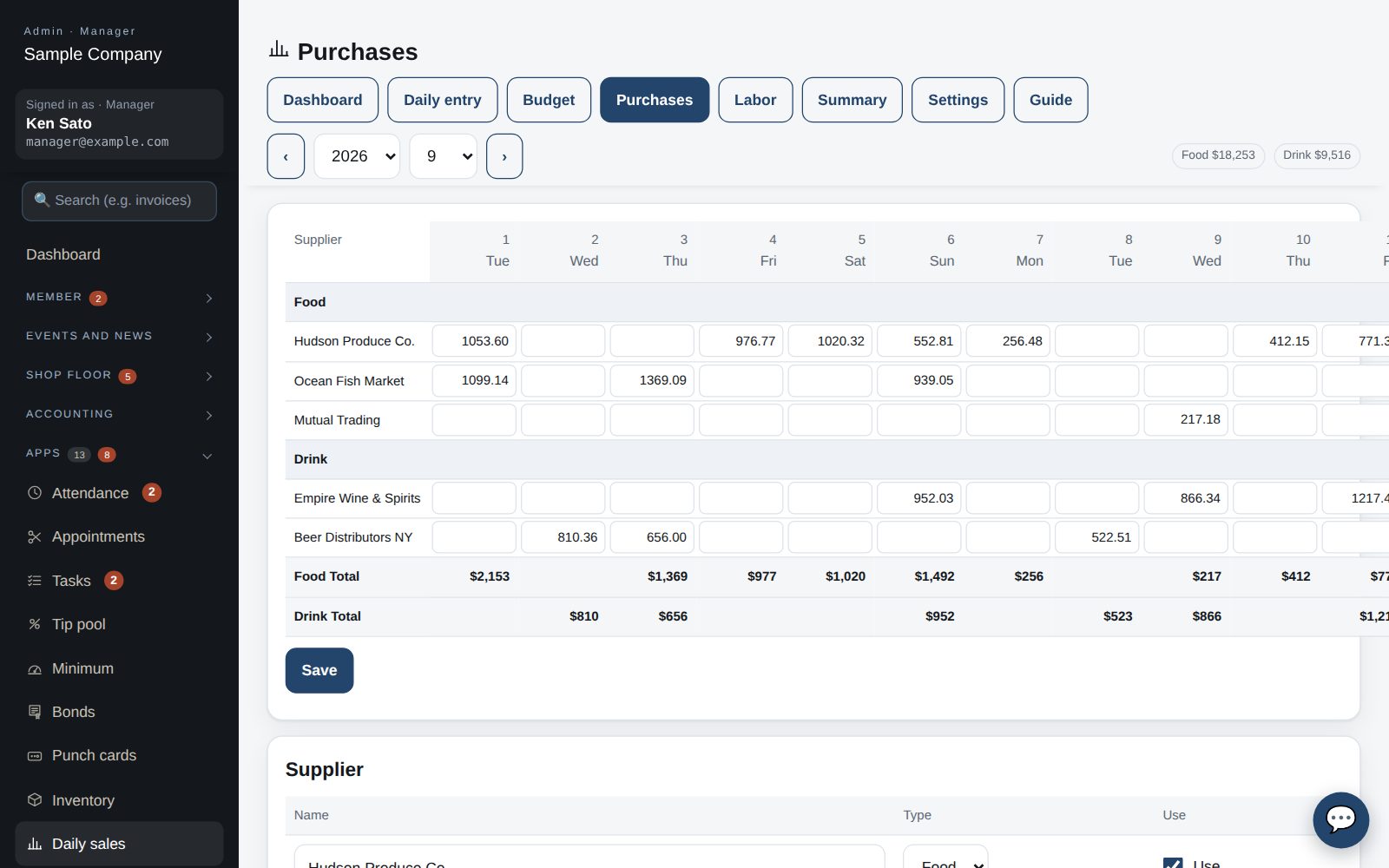
Suppliers by day and labor by pay period.

Toast & Excel

Import from Toast; read and write your Excel workbook.

How it flows

  1. 1Staff
    Enter the day

    Or import from Toast.

  2. 2Office
    Add costs

    Purchases by day, payroll by period.

  3. 3Automatic
    Ratios calculated

    Budget attainment, food cost and labor cost.

  4. 4Office
    Review the month

    Weekly subtotals and a day-by-day table.

See the screens

Admin (office)

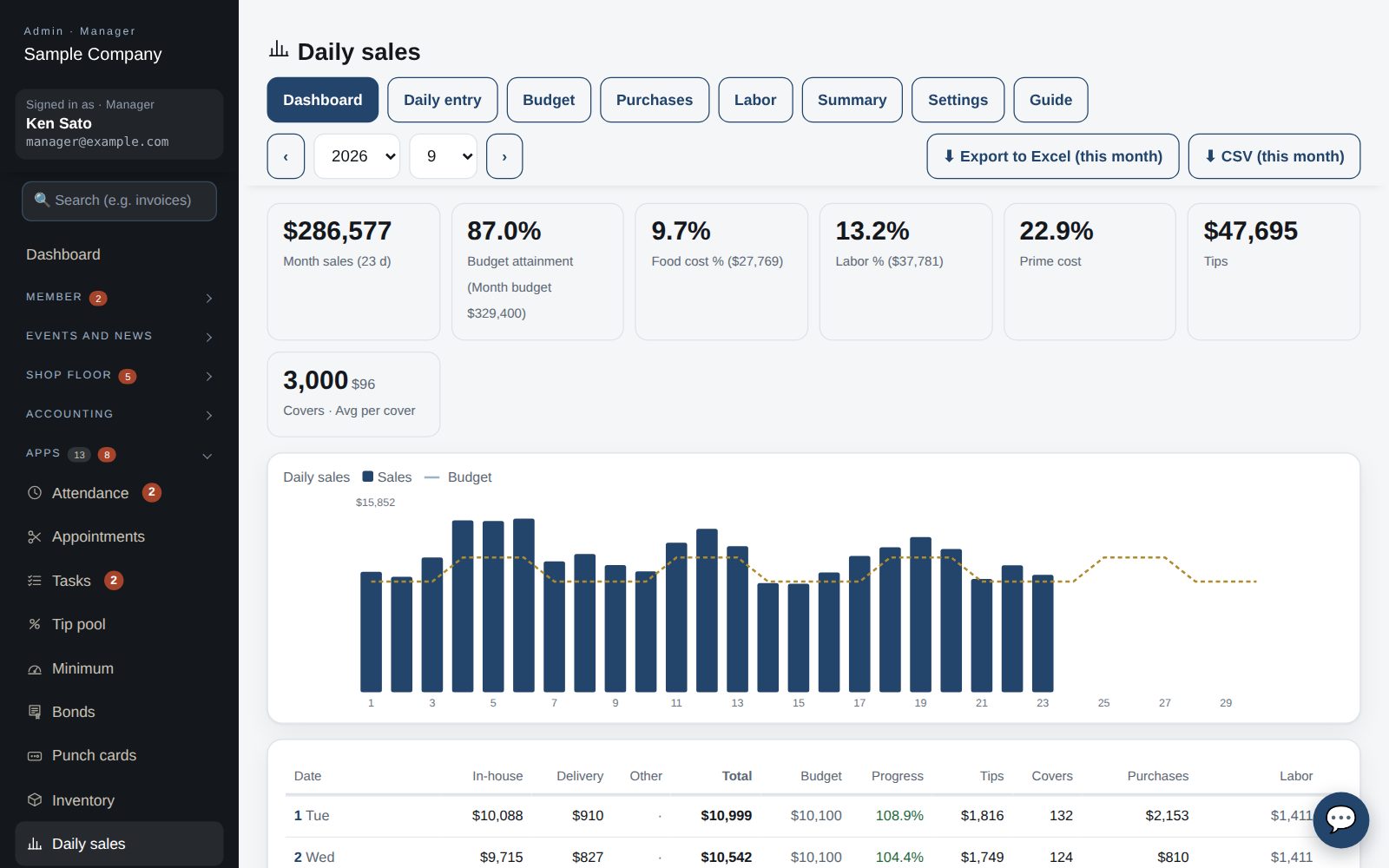
Month dashboard: sales, budget attainment, food cost %, labor % and the daily table

Dashboard

  1. Under Apps → Daily sales pick a month: the top shows the month's sales, budget attainment, food cost % and labor %; below is the daily table (sales per venue, total, budget, attainment, tips, covers) with weekly subtotals.
  2. Click a date to open that day's entry. Days imported from Toast are marked “Toast”, days from Excel “Excel”.
Daily entry: Food / Drink, tips and covers per venue

Daily entry

  1. Enter Food, Drink, tips and covers per venue and save. Subtotals, average per cover and drink share are computed. Delivery is entered per channel. The same page takes that day's purchases.
  2. With Toast connected, “Import from Toast” fills in that day's sales, tips and covers (you can still edit them).

Set budgets

  1. Under “Budget” set a weekday rule per venue and service; every month gets that budget automatically. Special days can be overridden by date.

Purchases and labor

  1. “Purchases” is a supplier × day grid (food and drink separately). Month food cost % = purchases ÷ sales.
  2. Under “Labor” enter hourly payroll per (biweekly) pay period. Salaried pay is a fixed monthly amount in Settings, prorated by day. Labor % = (hourly + salaried) ÷ sales.

Connect Toast / import Excel

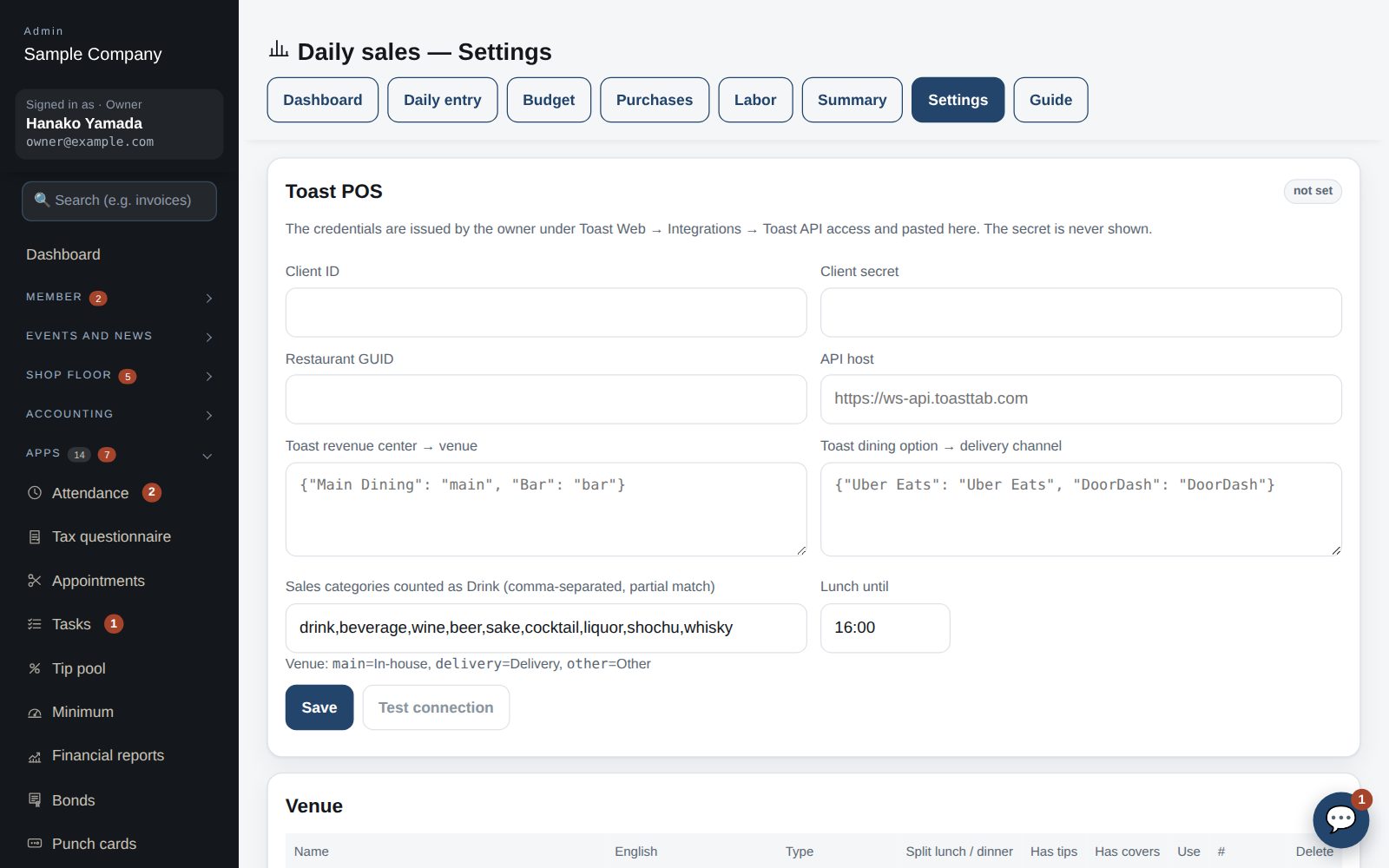
  1. Under Settings → Toast POS paste the credentials issued under Toast Web → Integrations → Toast API access (client ID, secret, restaurant GUID) and press “Test connection”. Map revenue centers to venues and dining options to delivery channels here too.
  2. Your current workbook is imported as is under Settings → Import from Excel (Daily Sales, budget, Food Suppliers, Labor). Each month can also be exported to an Excel file with the same layout.

Works well with

Start with just the features you need. If nothing fits the way you work, we'll build it for you — free.

Get started →🎁 Get a custom app, free