Non-member income monitor (501(c)(7))

Track the 15% and 35% tests for social clubs, all year

US social clubs under 501(c)(7) must keep income from non-members' use of the facilities within 15% of gross receipts, and all outside income, including investments, within 35%. Dining and events are split automatically from the app's records; dues come from QuickBooks.

Who uses it:OwnersManagers
What it does

Automatic split

Orders and events are split by member status; tickets with guests follow the Rev. Proc. 71-17 presumptions.

Dues from QuickBooks

Map dues, investment and excluded accounts, then import.

By fiscal year

The 15% and 35% gauges also appear on the dashboard.

Ledger for your CPA

Export the 71-17 ledger — date, ticket, party, names, amount, payer — as CSV.

How it flows

  1. 1Member / guest
    Recorded with every order

    Party size, members, guest names and payer are captured.

  2. 2Automatic
    Split automatically

    Dining and event income are split using the 71-17 presumptions.

  3. 3Office
    Import dues

    From your QuickBooks profit and loss report.

  4. 4Office
    Check the ratios

    See the fiscal-year gauges and export the ledger for your accountant.

See the screens

Admin (office)

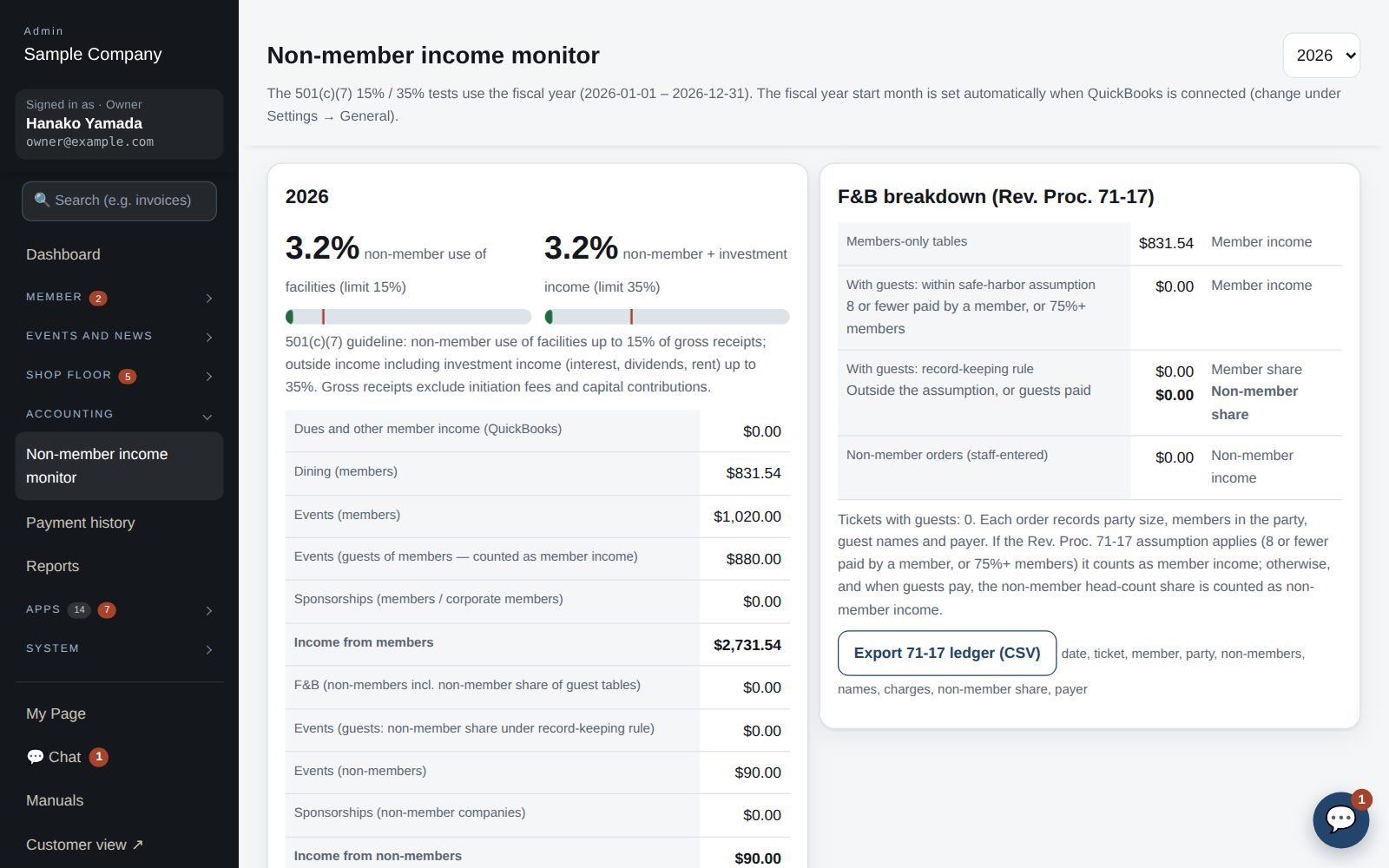
Non-member income monitor

Dues and the non-member income monitor (501(c)(7))

  1. A summary also appears on the dashboard, showing the 501(c)(7) 15% / 35% guidelines for the fiscal year.
  2. As a 501(c)(7), the club keeps income from non-member use of facilities within 15% of gross receipts, and outside income including investment income within 35%. Accounting → Non-member income monitor tracks this by fiscal year.
  3. Member income (dues) is imported from the QuickBooks Profit & Loss. Under Settings → QuickBooks, specify account names for member income, investment income (35% bucket) and excluded accounts (initiation fees), then press “Import dues income”.
  4. Dining and event income is split automatically from app records. Tickets with guests count as member income when the Rev. Proc. 71-17 assumption applies (8 or fewer, paid by a member, or 75%+ members); otherwise the guest share is non-member income.
  5. “Export the 71-17 ledger as CSV” produces the ledger for the accountant (date, ticket, member, party, non-members, names, amount, payer).

Member app & web

App order screen

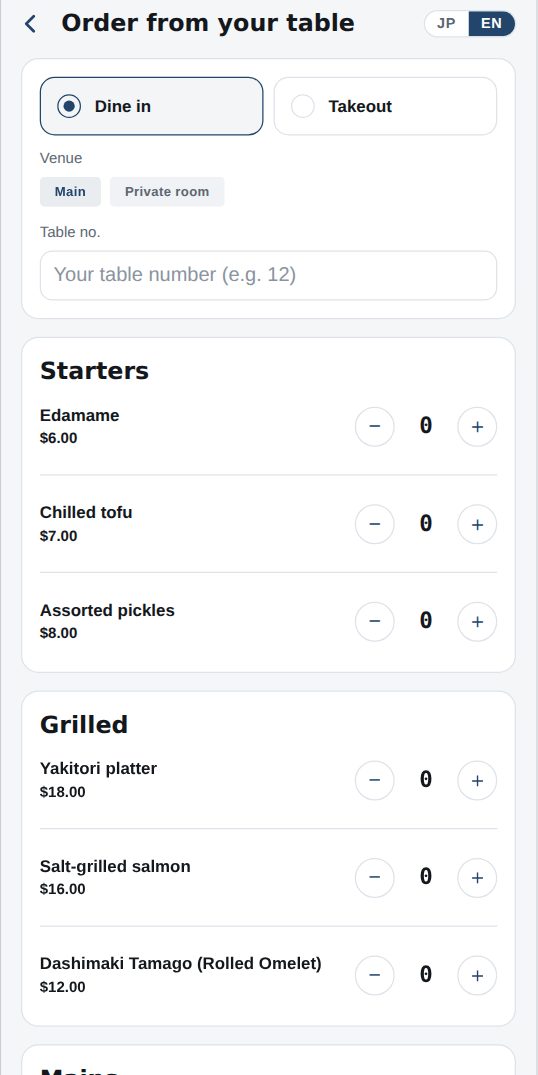
Order from your table

  1. Open Dining → Order from your table and choose dine-in or takeout. Dine-in needs your table number; takeout needs a pickup time.
  2. Add items with “+” from the menu. Tap an item name for photo, description and allergens.
  3. Enter party size, how many are members, guest names and who pays. The club needs this for its tax records.
  4. Tap “Send order”; it goes straight to the kitchen. The status (Received → Cooking → Ready) appears under Dining and on Home, and you get a notification.
  5. Payment is charged to your member account (monthly statement) or, where enabled, by card in the app.

Works well with

Start with just the features you need. If nothing fits the way you work, we'll build it for you — free.

Get started →🎁 Get a custom app, free